Project Overview
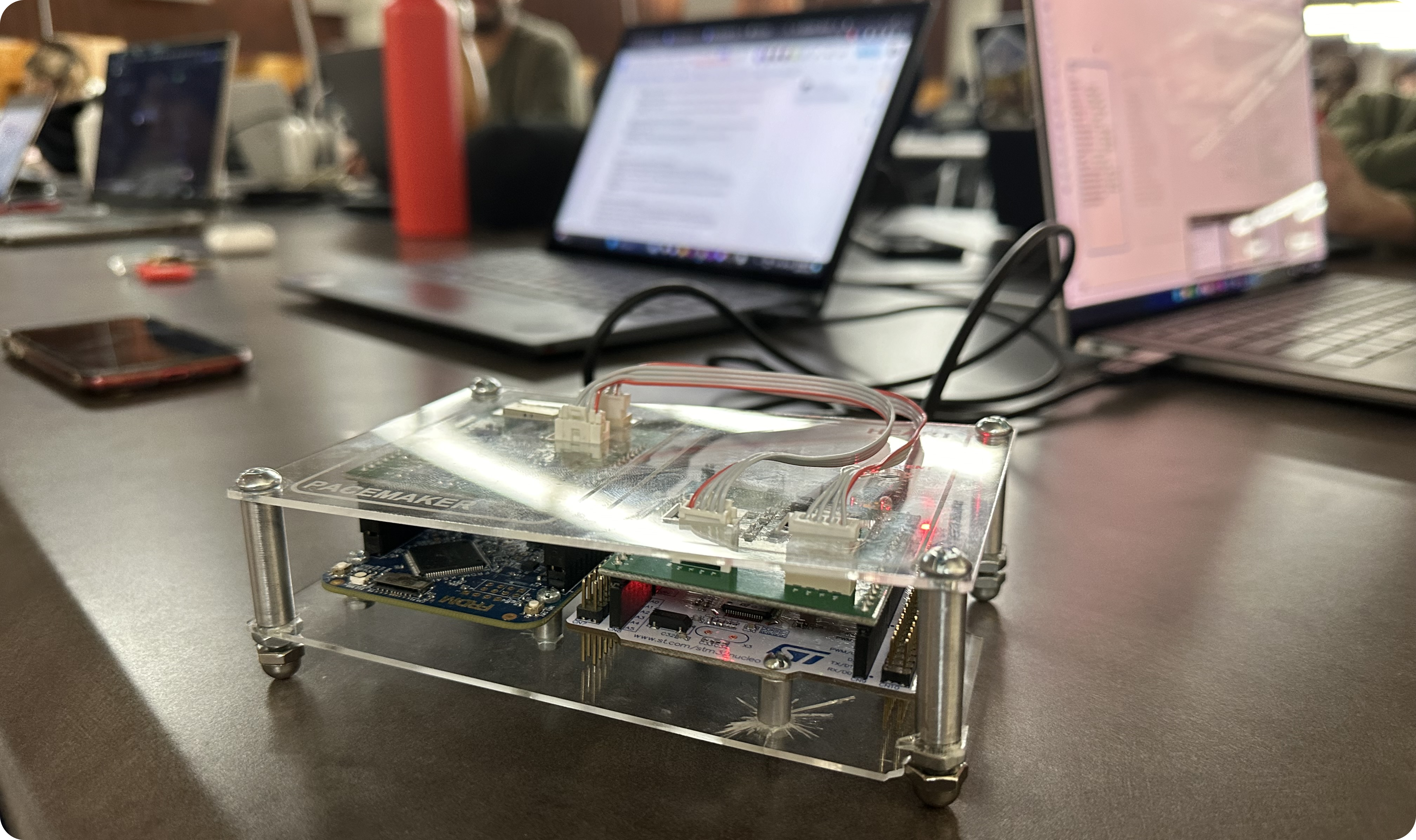
We developed a pacemaker prototype that covers all of the main features of pacemaker software today defined by Boston Scientific. Pace++ is a simulated pacemaker built to visually and functionally represent the various functions of modern pacemakers today. The following project is based on Boston Scientific's pacemaker specifications alongside implementing 8 of their defined pacemaker pacing modes, a real time electrocardiogram display, and local encrypted user data storage.
My Role
- Created the desktop graphical user interface for all frontend interactions
- Utilized MATLAB Simulink to create the serial communication between the desktop and the K64F board
- Developed the backend for displaying user data, simulated pacing data, and storing user information
Python Communicates with STM32 Board via Simulink

Pace++ is a simulated pacemaker designed with Python and MATLAB Simulink. The front-end of the project was designed and developed by me, with the purpose of being the connection between the Simulink-based STM32 board and the Python front-end that controls the board.
Our pacemaker design utilized a board that simulated the heart's electrical pulses. Through this board, we created 8 unique modes to pace different aspects and conditions of heart disease. These modes pace the atrium or ventricle at either fixed rates, uneven intervals, or during physical activity through the in-built accelerometer. The Python script then displays the electrical signals real-time to a doctor using the software, allowing them to make fine adjustments per each individual patient.
Real-time Display, Data Encryption, Serial Communication, and User Authentication

Through Python's tkinter, we created a secure interface that allows for the modification of the pacemaker. The login screen utilizes a dictionary to separate user data involving both login and pacemaker parameters, collects information on the current board serial number, and collects information on login times.
Features of the GUI
- Real-time display of simulated heartbeat
- Patient data to be saved and modified
- Encryption of patient data
- Serial communication to the K64F board
- Dark and light modes
Features of the Simulink
- Simulated electrical pacing
- Hardware separation
- Distinct pacing modes
- Rate Adaptive Pacing
Creating a Distinct Main Dashboard
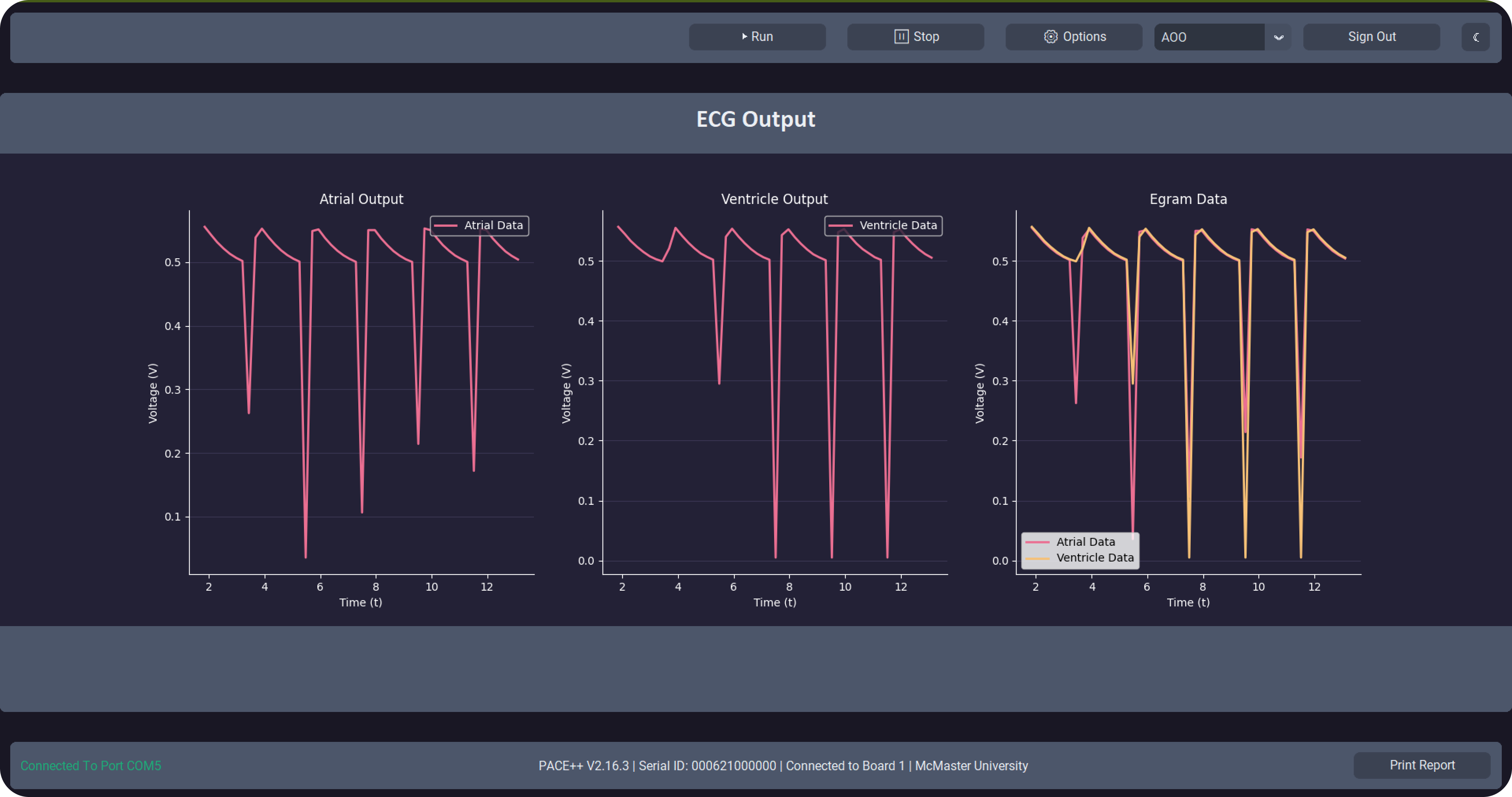
After logging-in, the "doctor" is given a screen that displays most of the important information first, such as three graphs showcasing the electrocardiograph reading. The pacemaker GUI also allows the doctor to start, stop, and change the pacemaker options — where each of these options directly send a packet to the board to perform their specific task.
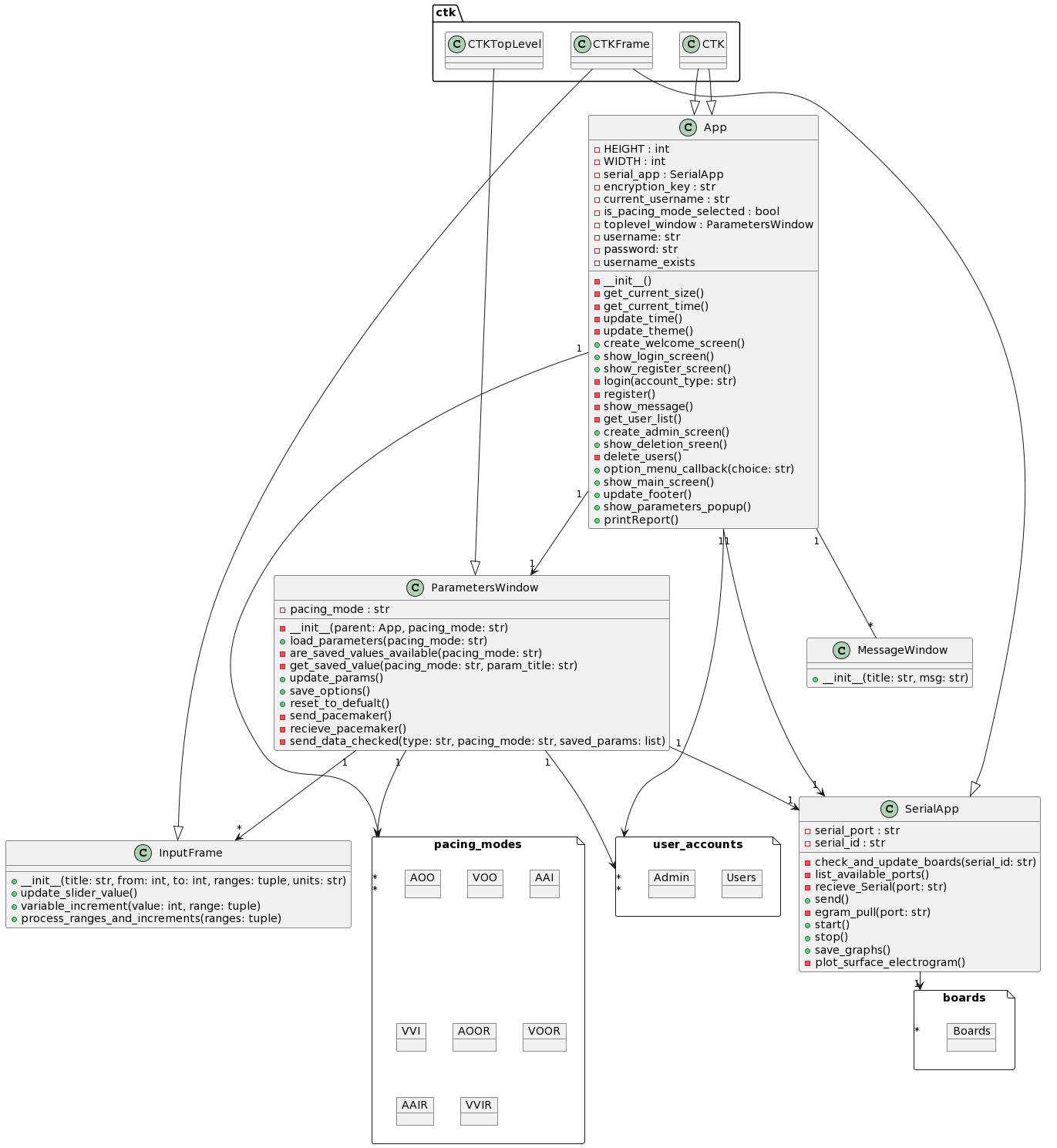
Additionally, I created a high-level overview for the general code structure to maintain clean architecture and ensure seamless communication between components.
Creating the Simulink Backend
For the backend, we utilized MATLAB Simulink to not only take in the simulated heart pacing data but also to perform actions upon it using the parameters the doctor chooses to set in the options menu. In our workflow, there are a couple of major parts:
- We take in the simulated heart signals and parameter data sent over from the Python GUI. If no parameter data is sent over, then it defaults to values specified in Boston Scientific's specification sheet.
- Through the accelerometer, we calculate the derivative of motion to determine if the user's activity is increasing or decreasing. Since your heart beats faster as you exercise, it is important to account for making the pacemaker pulse faster.
- Utilizing the input parameters, we can calculate certain formulas to define specific heart behaviors and through 8 unique pacing modes these parameters are used to pace the simulated heart.
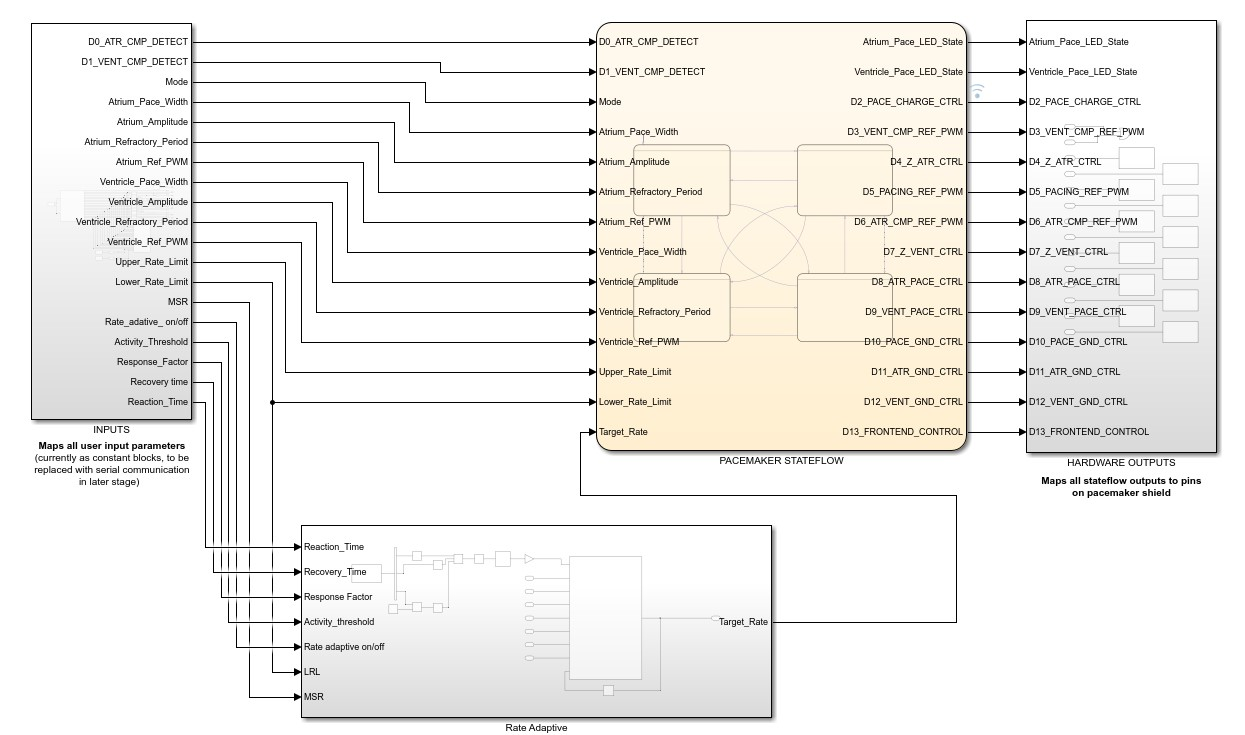
General overview of the Simulink state-flow
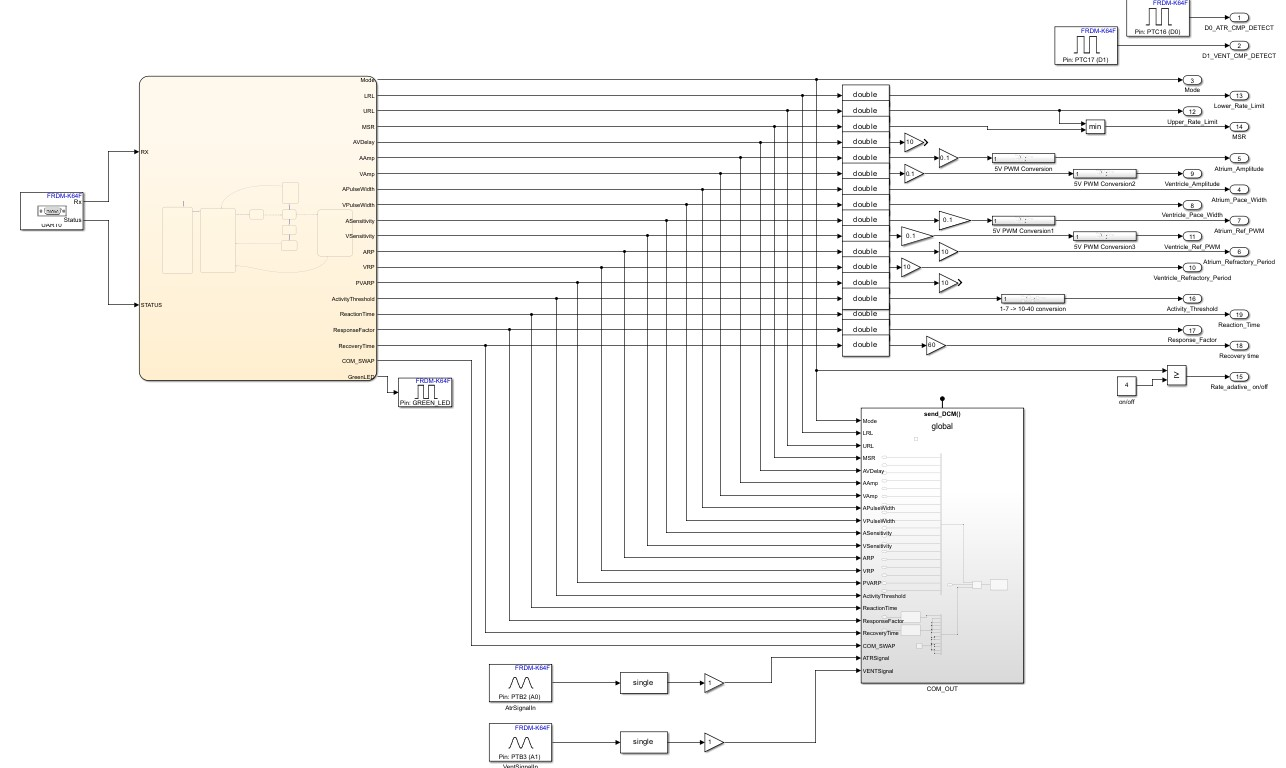
Overview of parameter processing
Pacing Modes
In our pacemaker we have 8 different modes that perform certain functions:
- AOO, fixed pacing of the atrium
- VOO, fixed pacing of the ventricle
- AAI, irregular pacing of the atrium
- VVI, irregular pacing of the ventricle
- Rate adaptive modes for each of the modes above
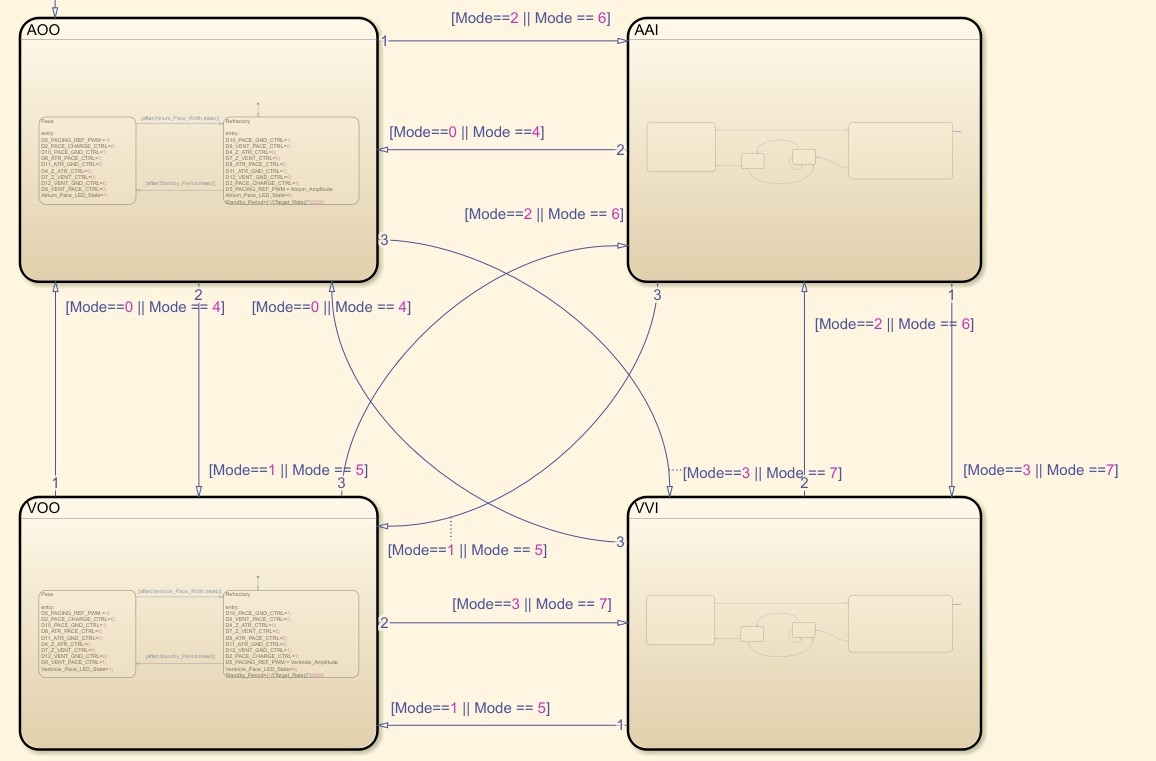
Overview of pacemaker pacing modes
Validation
The following were the parameters that were implemented in the device:
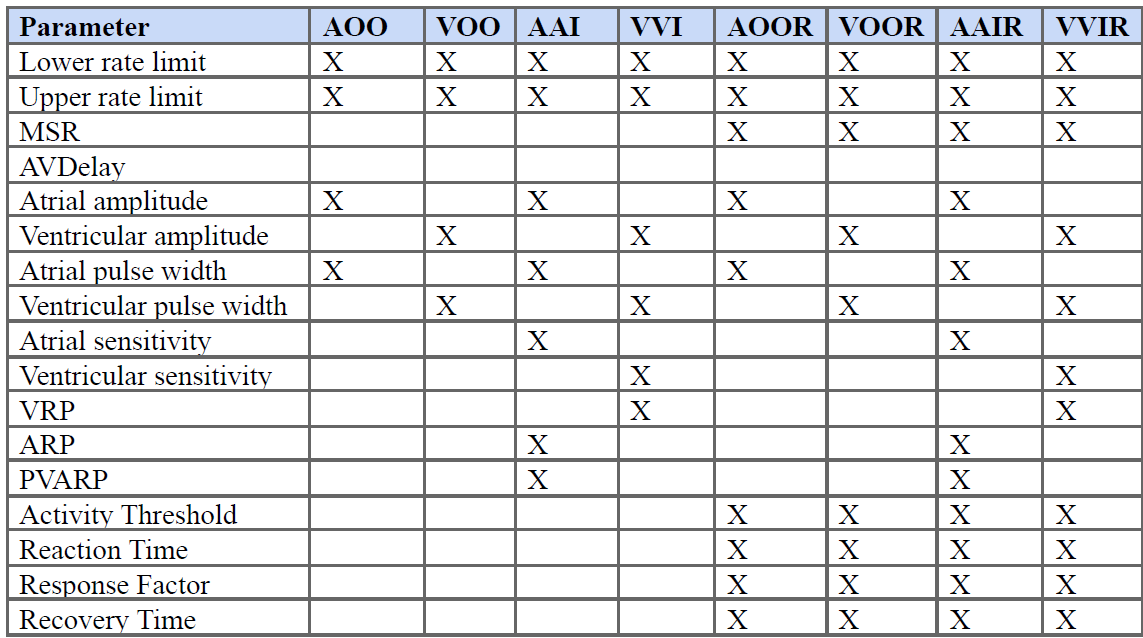
To test and validate our pacemaker mode function, we employed Heartview, a McMaster created cardiac simulation tool that was pre-flashed onto our board.
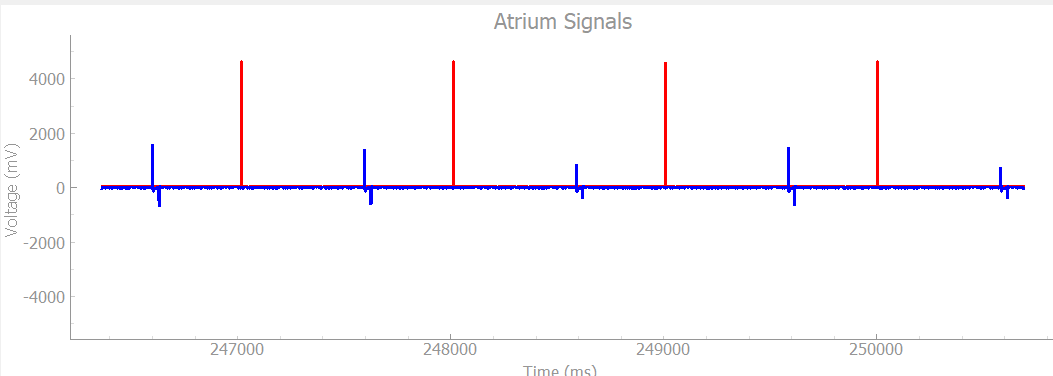
Same output from Heartview, showing our simulated pacing for the simulation